
Razer Blade 18 Review: Let’s be real from the start: the Razer Blade 18 isn’t for everyone. At a starting price that can climb well over $5,000, it’s a statement piece. But in this comprehensive Razer Blade 18 review, we’re not just looking at the price tag—we’re asking if this 18-inch monolith justifies its cost with unmatched performance and clever engineering, or if it’s simply an exercise in excess.
Having spent significant time with the top-spec model, I can tell you it’s a machine of breathtaking contradictions. It’s both shockingly powerful and surprisingly portable for its size. It offers a brilliant display yet leaves you wanting more at this price. Is it the holy grail for gamers and creators with unlimited budgets? Let’s find out.
The Unboxing & First Impressions: Premium is an Understatement
The moment you lift the Razer Blade 18 from its box, its identity is clear. This is a desktop replacement laptop in the truest sense. The all-black, CNC-milled aluminum chassis is cool to the touch and radiates a flawless, sturdy confidence. There’s zero flex, even in the massive lid.
At 15.74 x 10.84 x 1.1 inches and 7.06 pounds, it’s undoubtedly huge. Yet, placed next to its main rival, the MSI Titan 18 HX, the Blade feels almost svelte. Razer has managed to trim down the footprint and weight, making it the most “portable” 18-inch laptop I’ve tested—though you’ll still want a sturdy backpack.
The signature green Razer logo glows on the lid, and flipping it over reveals a unique design choice: a transparent window showcasing the vapor chamber cooling system, accented with subtle RGB lighting. It’s a bold, gamer-centric touch that oddly works.
Living with the Dual-Mode Display: A Game-Changer or Gimmick?
The centerpiece of this Razer Blade 18 review is its 18-inch dual-mode display. This isn’t just changing resolution in Windows. Through Razer’s Synapse software, you can switch the panel’s native mode:
- Mode 1: 4K+ (3840 x 2400) at 240Hz. This is your default for immersive gaming, 4K video editing, and productivity. The 16:10 aspect ratio gives you extra vertical space.
- Mode 2: FHD+ (1920 x 1200) at 440Hz. This mode is a competitive esports dream, offering buttery-smooth motion clarity for titles like Valorant or *Counter-Strike 2*.
The catch? You must reboot to switch. It’s not a seamless toggle, but it’s a worthy trade-off for true native performance in each mode. The image quality is excellent—bright (near 500 nits), with great color accuracy (100% DCI-P3 coverage). However, for a laptop at this price, the lack of a mini-LED or OLED option for superior HDR is a genuine, noticeable con. If cinematic HDR gaming is your priority, the Blade 16’s OLED panel is better.
Performance & Thermals: Where the Rubber Meets the Road
Here’s where the Razer Blade 18 stops being polite and starts getting real. Our review unit was equipped with an Intel Core Ultra 9 275HX CPU and a fully-powered, 175W NVIDIA GeForce RTX 5090 Laptop GPU, paired with 64GB of RAM and 4TB of SSD storage.
The results? Simply the fastest gaming laptop I’ve ever tested.
- Gaming Benchmarks: In Cyberpunk 2077 with Ray Tracing: Overdrive at native 4K (with DLSS 4 Frame Generation), it maintained a playable 65-74 fps—a feat for any system. In less demanding esports titles, frame rates soared into the hundreds, fully leveraging that 440Hz mode.
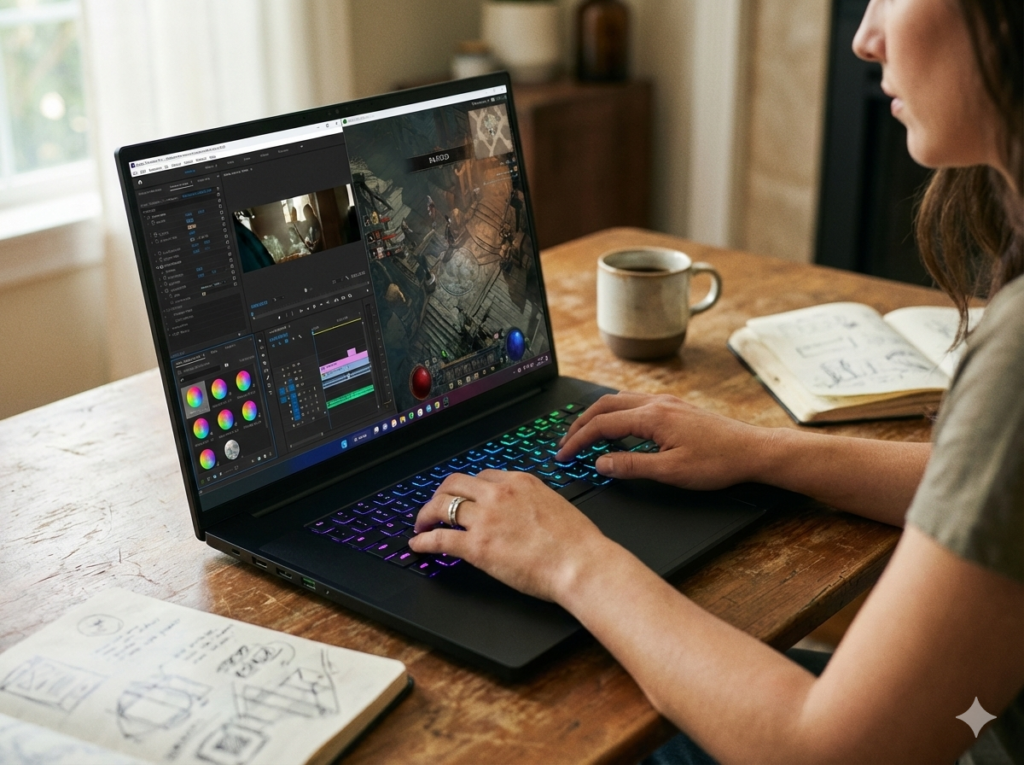
- Content Creation: It chewed through 4K video renders in Premiere Pro and complex Blender scenes, often beating last-gen desktop components.
- Thermal Performance: The new vapor chamber cooling is a marvel. Under sustained load, the GPU held a steady 70°C while the CPU spiked into the 80s. Yes, the fans get loud under full load—think a persistent, powerful whoosh—but they never sound strained, and the performance doesn’t throttle. For the power inside, the thermal management is impressive.
Keyboard, Trackpad, and The All-Important Ports
- Keyboard: Razer finally nailed it. The 1.5mm travel feels crisp and responsive, a huge upgrade from their shallower past designs. The per-key RGB is stunning, and the inclusion of a number pad (missing from previous large Blades) is welcome.
- Trackpad: It’s enormous and glorious. The glass surface is smooth, and the click is satisfying. For a Windows laptop, it’s as good as it gets.
- Port Selection: Absolutely no complaints. You get Thunderbolt 5 (a future-proofing bonus), Thunderbolt 4, three USB-A ports, HDMI 2.1, a 2.5G Ethernet jack, and a full-size SD card reader. It has everything you need for a desktop-style setup.
The Inescapable Downsides: The Cost of Being the Best
- The Price: Let’s not sugarcoat it. With a starting price of $3,499 and our tested configuration reaching $5,199, this is a luxury item. You are paying a significant premium for the Razer brand, design, and this specific form factor.
- Battery Life: It’s as you’d expect. For light web browsing, you might get 3-4 hours. Start gaming, and you’ll be plugged in within an hour. The 400W power brick is itself a hefty 2.1-pound accessory.
- Display Tech: Reiterating: at this price, an IPS panel, however good, feels like a compromise when competitors offer mini-LED.
Razer Blade 18: Pricing & Where to Buy
The Razer Blade 18 is a high-end, low-volume product. The most reliable place to check current pricing and availability is directly through major retailers.
- Starting MSRP: Approximately $3,499 for a base configuration with an RTX 5070 Ti GPU, 32GB RAM, and 1TB SSD.
- As-Reviewed/High-End Config: With the RTX 5090, 64GB RAM, and 4TB SSD, expect a price around $5,199.
Where to Buy:
You can configure and purchase the Razer Blade 18 through Razer’s own website, Amazon, or other electronics retailers. For convenience and often competitive pricing, Amazon is a solid choice. You can often find the latest models and configurations there. (Note: As an affiliate, I may earn a commission if you purchase through this link, which supports our testing at no extra cost to you.)
➡ Check current price and availability for the Razer Blade 18 on Amazon
Final Verdict: Who Should Actually Buy This?
After this deep-dive Razer Blade 18 review, my conclusion is surprisingly clear.
Buy the Razer Blade 18 if:
- Money is truly no object in your pursuit of the best.
- You want the absolute maximum mobile gaming performance in 2025.
- You crave a large screen for both work and play but still need some portability.
- The dual-mode display specifically appeals to your hybrid gaming (esports + single-player) lifestyle.
Look elsewhere if:
- Your budget has any limit. The law of diminishing returns hits hard here.
- True all-day battery life is a requirement.
- You prioritize a silent machine or the absolute best HDR picture quality.
- A 16-inch laptop (like the Razer Blade 16 or Asus ROG Zephyrus G16) would suffice, saving you weight and money.
The Razer Blade 18 isn’t just a laptop; it’s a flex. It’s the embodiment of “because I can.” For its specific, wealthy target audience—the gamer who wants no compromises, or the mobile creator who needs a powerhouse—it is, objectively, one of the finest machines ever built. For everyone else, it’s a breathtaking piece of technology to admire from afar.
Frequently Asked Questions (FAQs)
1. How does the Razer Blade 18’s performance compare to a desktop with an RTX 5090?
While it’s the fastest mobile GPU, the laptop RTX 5090 operates at lower wattages than its desktop counterpart. Expect performance to be roughly 20-30% behind a full-powered desktop RTX 5090, which is still an incredible achievement for a portable system.
2. Can you upgrade the RAM and SSD in the Razer Blade 18?
Yes! This is a major pro. The bottom panel is accessible, allowing you to upgrade the two DDR5 RAM slots and the two M.2 SSD slots yourself after purchase, which can save money compared to buying the highest spec directly from Razer.
3. Is the 440Hz display mode worth it?
For competitive esports players at a high level, the jump from 240Hz to 440Hz can provide a marginal edge in motion clarity and responsiveness. For the vast majority of gamers, the 240Hz 4K mode will be the sweet spot for a blend of visual fidelity and smoothness.
4. What’s the biggest drawback of the Razer Blade 18?
Beyond the price, it’s the lack of a next-gen display panel. For over $5,000, the competition offers brighter mini-LED screens with superior HDR, making the Blade 18’s excellent IPS panel feel like a relative weak link.
5. How does it compare to the Alienware m18 R2 or MSI Titan 18 HX?
The Razer wins on design, portability, and its unique dual-mode display. It’s sleeker and better-built. The MSI Titan often has a slight raw performance edge and a brighter mini-LED screen but is significantly heavier and thicker. The Alienware is often more aggressively priced but can be bulkier. The Razer is the “luxury sports car” of the trio.
Disclaimer: This Razer Blade 18 review is based on extensive hands-on testing and analysis. The product links in this article are affiliate links. If you purchase through these links, I may earn a commission at no additional cost to you. This income helps support the detailed, independent testing and review process. All opinions expressed here are my own and are not influenced by any manufacturer or retailer. Prices and availability are subject to change.
Thank you.
Also Read :- Sony Alpha 7 IV Review: The Definitive Hybrid Camera for Photographers & Videographers?
Also Read :- Ecovacs Deebot X2 Omni Review (2026): The Ultimate Hands-Free Cleaning Champion?